


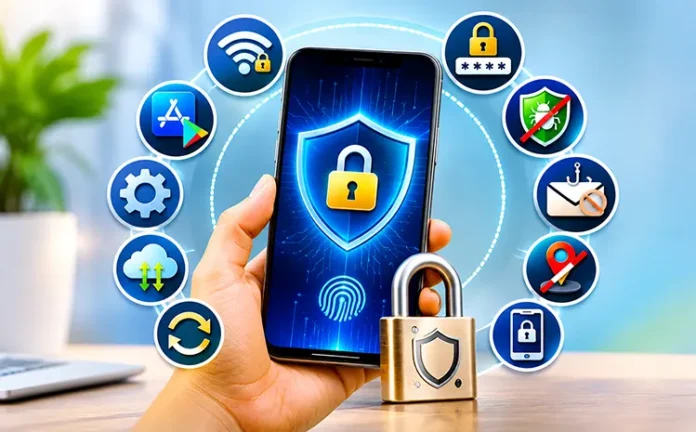
Your phone has a lot of private stuff on it, like messages, photos, and bank info. This makes it a big target for hackers who want to steal your data or get into your accounts. So, it’s critical to keep your phone safe. Here are some simple tips to help you do that and avoid losing your personal info. Taking a few easy steps can help make your phone more secure and protect you from cyber threats. For example, you can start by being more careful about what you download and click on.
| Security measure | What you should do |
| Antivirus protection | Use reputable mobile security software where appropriate. |
| Screen lock | Set a strong PIN, password, or biometric lock. |
| Data encryption | Ensure your smartphone data is encrypted. |
| App security | Download apps from trusted app stores. |
| Remote locking | Enable Find My Device or Find My iPhone. |
| Public Wi-Fi | Avoid sensitive transactions on unsecured networks and use a trusted VPN when appropriate. |
| Suspicious links | Avoid clicking unknown links in SMS messages and emails. |
| Secure messaging | Choose messaging apps with end-to-end encryption. |
| Fake accounts | Identify and report suspicious social media profiles. |
Software updates Install operating system and security updates regularly.
Here Are 10 Tips to Protect Your Phone and Prevent Data Theft
1. Install Antivirus Software and Use a Firewall
Cybercriminals are constantly developing new attack patterns. They smuggle malicious software—so-called malware—onto your smartphone via websites, app stores, emails, or SMS. You are not powerless against these threats. Install and activate antivirus software and a firewall to keep your phone safe.
The damage that fraudsters can cause can be immense. Using a virus scanner is a key part of securing your smartphone: it protects your data from spying. Free virus scanners are available for Android in the Play Store. For iPhones in their original state, you don’t need special antivirus software; the iOS operating system is considered secure. The reason is that the only software source is the App Store, which Apple experts have thoroughly checked for viruses and Trojans.
2. Use Strong Passcodes and Passwords
Using a secure screen lock, strong and unique passwords is essential for smartphone security, particularly when accessing sensitive applications such as online banking, digital wallets, and personal email accounts.
3. Encrypt Your Smartphone Data
If you’re using Android, remember to encrypt your phone’s file system. This ensures that only you have access. Without the correct key, unauthorized users cannot read your data. Users can encrypt the entire mobile system or individual files. Incidentally, data encryption is enabled by default on iPhones, so you don’t need to do anything yourself.
4. Download Apps Only From Trusted Sources
Experts from the Rhineland-Palatinate State Criminal Police Office and the local consumer advice center also offer tips and recommendations, such as: Use only reputable app stores. Read how the apps are rated in the stores. Beware of so-called in-app purchase features, which can incur additional costs.
5. Enable Remote Locking and Data Wiping
Lost your phone? Don’t worry. There are ways to remotely lock a smartphone and erase data. “Almost all smartphones allow you to locate them remotely, send messages to the phone, erase data on the device, or lock the device itself,” explains the consumer advice center. Furthermore, there are additional functions: “For example, taking photos of the thief trying to unlock the screen.”
6. Avoid Unsecured Public Wi-Fi Networks
When you’re out and about, using public Wi-Fi can be a great way to save your phone’s data. But have you ever stopped to think about how safe it really is? The truth is, many public Wi-Fi networks don’t encrypt the connection, which means that hackers can easily snoop on what you’re doing online. This can be a big problem if you’re accessing sensitive stuff like your bank account or email. To stay safe, it’s a good idea to avoid logging into important accounts when you’re on public Wi-Fi, and consider using a VPN on your phone—it’s like having a special shield that keeps your data protected.
7. Watch Out for Suspicious Links and Messages
Be skeptical: This advice applies in many respects; for example, are you receiving unsolicited text messages from unknown senders? For your smartphone security, do not click on any links contained within them. For your mobile security, never agree to enter your personal data, which criminals could potentially misuse. Use third-party blocking services.
8. Choose Secure Messenger Services
To protect your data, only use secure services. Consumer protection agencies generally advise using only messengers that do not use message content or other user data for advertising purposes or pass it on to other companies.
9. Identify and Report Fake Social Media Accounts
Fake accounts are often bots controlled by computer programs. They comment on posts, follow profiles, and send private messages. The aim is often to trick users into clicking on dubious links. Consumer protection agencies recommend not clicking on these profiles at all and reporting the accounts as spam.
10. Protect Yourself From Phishing and Install Security Updates
Be ready for them! Most perpetrators aim to steal online banking passwords. To do so, they send emails that look like official letters from a bank or other institution and ask recipients to enter their login details. Further reading: How to recognize phishing emails
– Attention, updates: Operating systems like Android or iOS receive regular updates for smartphone security. These updates introduce new software features and close security gaps. Older phones often no longer receive updates, which compromises your smartphone’s security.
